Using the Book & Website
The online reader, the 100 pages, interactive pages, and the diploma.
These answers are for anyone using the site day to day, whether you're reading on a tablet at bedtime or printing a page before breakfast. I explain how the 100 pages are organized into six chapters, how to find a specific page by its number, and how the online reader works with arrow buttons, keyboard keys, swipes, and fullscreen. You'll also find help with the two interactive pages (the thought bubble on page 10 and the maze on page 24), the "Talk about it while you color" questions, and the Junior Researcher diploma on page 99. A handy orientation line: every coloring page lives at /pages/ plus its number, so /pages/24/ takes you straight to The Maze. The grown-up notes and discussion questions live on those individual pages, not in the reader, so keep one open while your child colors.
-
How do I use the online book reader?
Open Read the Book at /book/ and flip pages with the arrow buttons, arrow keys, or a swipe. Chapter buttons jump ahead, and fullscreen fills the screen.
-
How do I find a specific coloring page?
Every page has a simple address, like /pages/24/. You can also browse each chapter's grid of pages or jump to a chapter in the online reader.
-
How are the 100 pages organized?
The 100 pages are split into six chapters, one for each step of research, with a title page and character introductions at the start and a diploma near the end.
-
What are the interactive pages?
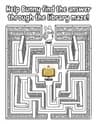
Two pages ask your child to do more than color: page 10, where they draw what they want to learn in a thought bubble, and page 24, a bookshelf maze.
-
How do I use the 'Talk about it' questions on each page?
Every coloring page ends with a short list of questions. Pick one, ask it while your child colors, and let the conversation go wherever their answer leads.
-
How does my child earn the Junior Researcher diploma?
Your child earns it by working through the book's six research steps. The diploma is page 99, a Junior Researcher frame to color and keep.